
Now, let's set your launch dates and map out a week-by-week plan. This will keep you on track and make everything feel manageable.
Complete this lesson with AI
- 🤖 Launch Window Prompts
- 🤖 Weekly Launch Plan Prompts
Then write down the answers ChatGPT gives you in your answer blocks in your workbook. You can watch the demo video if you want to see the prompts in action.
Lesson Slides
Lesson Transcript
Caroline: All right. Welcome to module two, planning your launch.
Jason: I did a module two shake. I don’t know why.
Caroline: All right, sure.
Jason: Yeah.
Caroline: In this first video, we are going to set your launch window and your week by week plan. Let’s get started. The goal of this lesson is to, like I said, pick your launch window and then outline your three to six month launch lead up, week by week calendar.
Jason: You already know the first key to a calm launch. It’s an irresistible offer, but that’s just the pregame.
Caroline: Wow.
Jason: Your calm launch truly begins when you start planning your launch schedule. This is very important, so please take a moment to let this sink in. The more lead up time you give yourself before your launch, the calmer it will be. And how do we know? From a lot of personal experience.
Caroline: If you take nothing away from this course, take this. Give yourself more time than you think to do your launch. Now, just a reminder, the anatomy of our Calm Launch Formula includes an open and close window for two weeks where you open the cart of your offer and then you do four weeks of pre launch content leading up to that launch window. So just to remind you, that’s what we’re doing here. And why do we love a two week launch? Well, it’s long enough for your customer to make a decision and short enough to kind of move someone into action. It also gives you enough opportunities for what we call launch events without feeling rushed. And we’ll talk about that in another lesson. And then we love a two week launch because you get three weekly newsletter cycles. And I’ll show you what I mean by that. So we do our launch window Monday to Monday for those two weeks because people are already attuned to opening our newsletter emails on Mondays.
So we send our newsletter to our full list every single Monday. And so our launch window, if we start it on a Monday, we also end it on a Monday, which means we technically get three Mondays to send those launch emails. How are you going to land on your own launch dates? Well, we recommend going from seasonality to weeks and then to your final dates. Be mindful of the seasonality of your industry. We always do a spring launch and a fall launch. And that’s because in our industry, people tend to get a little quiet in the summer when they’re going on vacation. That might be totally different for your audience.
Maybe you have teachers and so they’re getting ready for the school year right before the fall starts. And that’s when you want to launch your offer. Once you know the general season, then you want to choose the weeks based on your life event and your own schedule. When are you traveling? What would be the optimal time for you to do a launch? Remember, our whole thing at Wandering Aimfully is building a business around what makes your life feel well balanced. So you want to keep those weeks in mind when you look at what that launch window is going to be. And finally, once you have kind of your general weeks that you want to pick, you want to shift the final dates maybe a week before or a week after based on major holidays, big things that are going on, political things or…
Jason: So you’re saying I shouldn’t have my launch date on December 25? That’s not a good date to pick?
Caroline: Would not recommend.
Jason: Okay, don’t do that.
Caroline: Now, once you pick that launch window and your final dates, you can start building out a plan backwards from those launch dates. So imagine this is your launch date. The month before is gonna generally be your prelaunch buzz. The month before that could be your testing, beta testing of your offer and your messaging. And before that, that’s when you really wanna start the planning and the tasks and all of that. Now, to get more granular, we have a focus week by week. I’m not going to read all of this here, but it’s in your workbook. And this is really what your launch lead up is going to look like. If you do not have your offer created yet, you really want to start six months out. I know that sounds like a long time, but for it to be a calm launch, six months is a really great timeframe. The takeaway here is that if you don’t have your offer yet, six months out, you’re going to create your offer. Five months out, you’ll finish it. Four months out, you’re going to have your launch kickoff and really kind of nail down your schedule. Three months out, you run your beta test and finalize your sales page. Two months out, you’re going to do your pre launch content. One month out, you’ll do your launch content and finalize your emails.
Jason: Now, if you already have your offer created, then you probably don’t need the full six months. You can do it in three months. So we have this plan for you. Three months out, you’re going to create your launch schedule. Two months out, you’re going to tweak your sales page and create your pre launch content. And one month out, you’re going to create your launch content and your emails.
Caroline: Again in the workbook. We have both of these week by week plans, so you want to use the weekly focus schedule in that workbook to add to your project management system or use it to add all of those weekly focuses to your calendar.
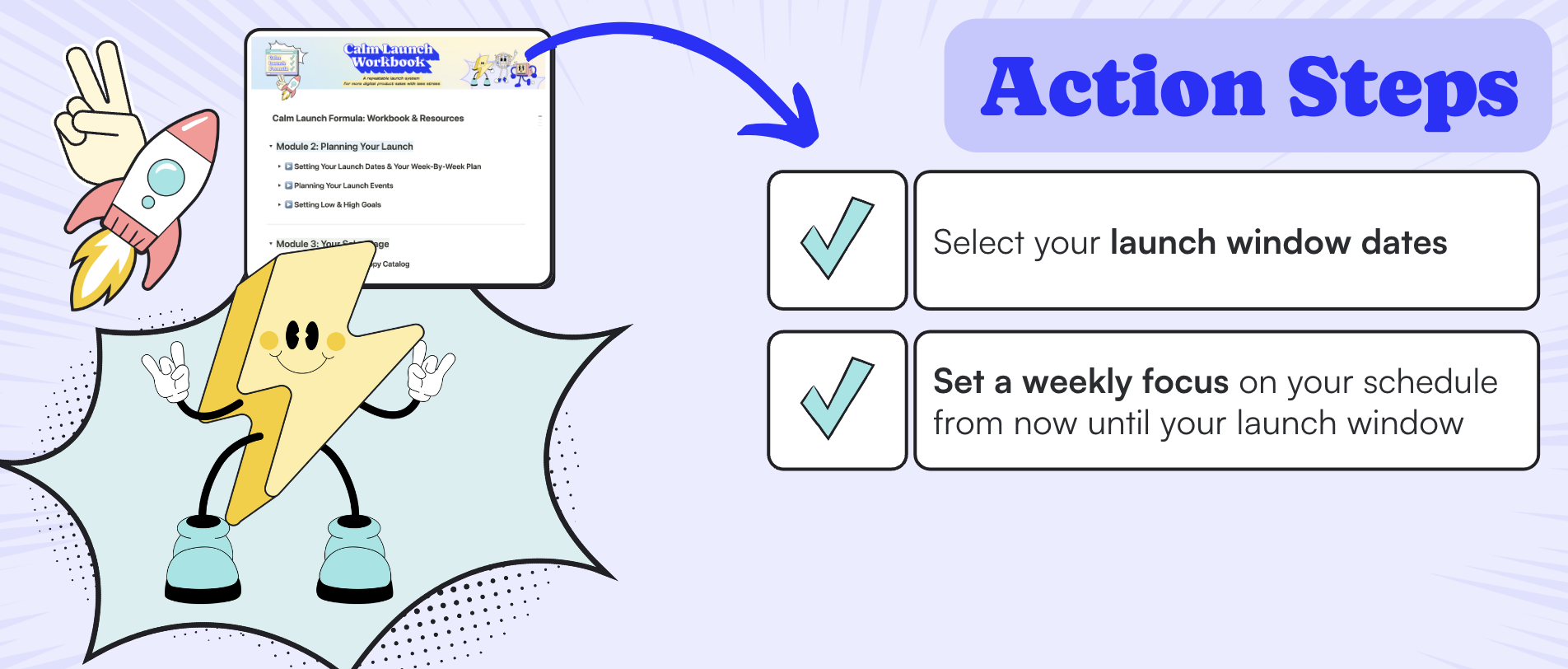
Jason: Your action steps here. Select your launch window dates, and Larry also wants you to set a weekly focus on your schedule from now into your launch window.
Caroline: With your launch dates now decided, we are going to close this prompt and work backward to create your week-by-week launch plan.
As much as we appreciate ChatGPT offering some next steps, we want a week-by-week focus on what to be working on up until that launch date. So we’re going to go to the "Weekly Launch Plan" prompts, and this is important: you want to select which prompt to use based on whether you already have your offer completed and are just doing a repeatable launch. Maybe you’ve launched this offer before and don’t need the timeframe for creating your offer.
If you have not created your offer yet, you want to use the prompt that says you don’t have your offer created. For the purpose of the demo, let’s pretend I have not created my "Slide and Shine with Canva" offer. So if you don’t have that, we’re going to use the "Offer Not Created" here. We’ll go down here, copy this prompt, paste it in, and this is where, if you were starting a new session, you would want to put in your launch window dates.
We already said that our launch window is from January 21 to February 4, so we’re just going to put that there. Then let’s look for any more brackets. It really is just the launch plan, so we have nothing else to do. Based on our launch dates, it is going to spit out a week-by-week plan leading up to our launch window.
So you know exactly what to work on, and you don’t have to do the hard work of planning out your project.
Now, just like that, with the click of a button, it has given you your six-month lead-up plan, starting on July 1, leading all the way up to your launch date. Actually, I’m just realizing now that as of recording this, July 1 is in the past. We don’t want that. So we want to make sure this looks great.
But the first table with the launch plan from 24 weeks out actually begins on July 1, when today is August 12. Can you please compress that first table, starting with today’s date? So again, you want to be really specific about what you want. Also, according to our prompt, we really recommend that you start planning at least twelve weeks out.
If, for some reason, you want to do a launch that’s less than twelve weeks from today, then what you need to do is tell ChatGPT that and say, "Hey, this looks great, but I’m working on a more compressed timeline. Today’s date is X, and as you know, my start date is Y. So please amend this schedule based on my dates," and it will certainly do that for you.
You can see it’s just going to rewrite the prompt now with that new information. It’s going to start on August 12 and give us a nice adjusted schedule here. Now what I love about this is you have an entire breakdown by bulleted list. If you wanted to, you could highlight this entire thing and drop it into your launch details.
You could just copy it and put it right here in this block. Or, as you can see in the block, you also have a table that has a week-by-week focus. And that’s helpful because you can do things like a timeline view, etc. The way this table works is you put in your launch start date, and it will set the...
Actually, let me make this bigger so that you can see.
Cool. So this week-by-week launch plan here starts... Oh, this is for if we do have our offer completed. But that’s not us, right? We don’t have our offer completed. So you can see all you have to do is update this with your launch start date. And we already said that our launch start date is January 21.
So let’s move that to January 21, 2025. We’re going to update all the cells here with January 21, 2025. And then that is going to update the weekly start dates here. And that’s where you can use, you can copy and paste the focus from each of these weeks to update it here if you want to do that. Now, you can see that while the answer block only goes as far out as twelve weeks, ChatGPT has helped us out by writing our weekly plan going as far back as 24 weeks.
If you want to include these as well, what I recommend is writing a follow-up prompt that just asks ChatGPT to write out the 24- to 13-week plan as a bulleted list and give it a little bit of formatting information. So it’s going to give you something that looks like this with the focus of each of those weeks.
I would just copy that and add it here in this block with all of your focus dates. Then, if you wanted to, you could drag these into the week-by-week plan. You would just have to adjust the weekly start date based on the date that it gives you there. So you could do that like this.
And you can see now it’s added all of these as records. Keep in mind the formula here for the week start date is not going to work the same. What I recommend you do is actually create a start date... property, and that way you can copy all of these weekly start dates that the little automated feature has given to you. Then you can also go in here and set the start dates based on what that tells you like that. Once you do that, you will have your week-by-week plan with the focus.
You’ll want to do that as well. The focus is now inside the page in case you’re wondering where that is. You’ll want to enter that as your focus here. And once you do all of that, you will have your week-by-week launch plan right here, and you’ll know exactly what you are working on every single week until your launch.
Caroline: By this point, you have completed all of the prompts related to your irresistible offer. You know what you’re going to be selling, you know what you’re going to be pricing it at, and it’s time to move on to module two. So here in your workbook, we’re going to close module one, head over to module two, and start with setting your launch dates and your week-by-week plan.
It’s time to start planning that calm launch.
So here we can open up the launch window prompts. You might know exactly when you want to have your upcoming calm launch, but we can also use ChatGPT to recommend a date window for us. So we’re going to scroll down, copy the prompt, and as usual, before we hit enter, we will update anything in brackets.
I’m telling ChatGPT that I want it to be a two-week date range, and this is where I can update with any preferences—seasonality of my industry. I want to launch when solopreneurs are in the mindset to work on their business, so that probably excludes the end-of-the-year holidays or the middle of summer. Your business niche might pick up in the summer or might be really big for things like Black Friday.
Those are things you want to talk about here. Or maybe you have a lot of sales that come through in the holiday season, and then your personal preferences. For example, in my personal schedule, I will be traveling through New Year’s, so I want to give myself at least a week back at home to prepare for a launch. So anytime after January 8, let’s say, giving myself a three to six-month lead-up time.
This is where you want to put that. In my fictional scenario, I haven’t created my offer yet, so I’m going to say give myself at least three to six months. We typically recommend six months, but let’s just leave it at three to six because maybe I’ve already launched a product before, so I don’t feel like I’m starting completely from scratch.
Of course, the less experience you have with launching, the longer you want that lead-up time to be. But let’s say three to six months seems appropriate, and then avoid any major holidays or global national events. Down here, you want to say, we recommend starting your launch window on the day you send your newsletters. It’s just easier that way, and your audience is already kind of prepped to look out for your emails. Let’s just call it Tuesdays. I’d like a launch window to be a 15-day period beginning on a Tuesday and closing on a Tuesday evening. Fantastic. Let’s see what ChatGPT recommends for our launch window.
Okay, so it has given us a few launch window recommendations, which is great. But do you notice what I noticed right away? This is where you have to keep a keen eye out. It has given us dates that are in the past. As of recording this, we’re looking towards the following year, 2025, not 2024. So that’s okay.
It’s not a human, as it turns out, so we do have to remind it. These launch windows are actually in the past; I need them to be in the future. Just some gentle reminding. It’s going to apologize for the oversight and give us a few new dates starting in May. So again, it’s struggling. We just need to remind it, let’s actually offer some options in January or February of 2025. This is where you just have to offer some guidance. It’s still going to be a robot, but the more guidance you give it, the better your options are going to be.
The good news is it has given us dates that start on a Tuesday, which is great. That’s something you want to double-check for. I also like that it gives you some of the pros. This January 14 window is right after the holiday season, so it gives people time to get back into their routines. Solopreneurs are often focused on new goals, and that’s true—my audience is focused on that. This window gives a little bit more time to prepare.
It also mentions that this date avoids major holidays like Valentine’s Day. You can see that Valentine’s Day is sort of in the middle of that, so you don’t have to contend with people’s attention on something else. It recommends January 21 to February 4. This allows you ample time to prepare after the holidays and hits that perfect moment. Fantastic. Let’s go with January 21 to February 4.
I’m going to go ahead and copy this into my launch window so that we have it written down here. I like how I told ChatGPT that I wanted to use that window, and they were like, "Here’s what your next steps are." We already have our next steps, but it’s very kind of them to offer that. And now you have your launch window, you have your dates, and we can keep planning from there.